
Download SysInfoTools Archive Recovery – Recover Corrupted ZIP, RAR, TAR, 7z Files Securely
Are you struggling with corrupted archive files that refuse to open or extract? SysInfoTools Archive Recovery is a powerful, reliable, and user-friendly software designed to recover and repair damaged ZIP, RAR, TAR, and 7z archives. Whether you're a home user or a professional managing critical data, this tool offers a safe and efficient solution to restore your lost or inaccessible files. With its advanced scanning algorithms and intuitive interface, Archive Recovery works seamlessly on Windows and Mac systems, helping you retrieve important documents, photos, and project files without stress. The software is available for free download and is ideal for anyone who needs a dependable recovery tool to fix archive corruption issues quickly and securely.
Key Features of SysInfoTools Archive Recovery
One of the standout strengths of SysInfoTools Archive Recovery lies in its comprehensive feature set, which makes it a top choice for both beginners and advanced users. The software supports a wide range of archive formats, including ZIP, RAR, TAR, and 7z, ensuring compatibility with most common file types used across personal and professional environments. This versatility means you don’t need multiple tools to handle different archive types—this one solution handles them all.
Another major advantage is the tool’s intelligent scanning engine. It uses advanced algorithms to analyze the structure of corrupted archives and reconstruct missing or damaged data blocks. This process is both fast and accurate, significantly increasing the chances of full file recovery. Even if your archive has been damaged due to incomplete downloads, virus attacks, or disk errors, the software can often restore the original content.
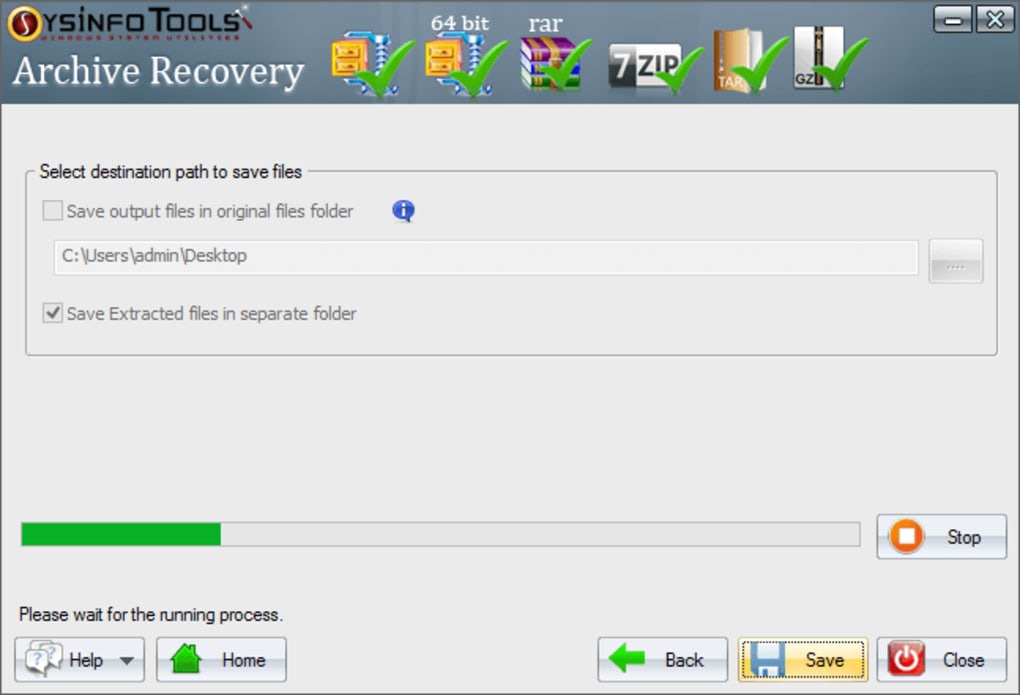
Users also appreciate the simple, intuitive interface. You don’t need technical expertise to operate it—just select the corrupted file, choose a destination folder, and start the recovery process. The software provides real-time progress updates and allows you to preview recovered files before saving them. This preview feature is especially helpful when dealing with large archives, as it lets you verify file integrity before committing to the recovery.
Additional features include batch processing, which enables you to recover multiple corrupted archives at once, and password-protected archive recovery (with the correct password). The tool also supports automatic updates to ensure you always have the latest improvements and security patches. Whether you're recovering personal photos or mission-critical business documents, SysInfoTools Archive Recovery delivers peace of mind with every scan.
How to Install and Use SysInfoTools Archive Recovery
Getting started with SysInfoTools Archive Recovery is straightforward, whether you're using Windows or Mac. Begin by downloading the software from the official website. The download is free and comes with no hidden costs or third-party installations. Once the installer is ready, run it and follow the on-screen instructions. The setup process is quick and requires minimal user input, making it accessible even for non-technical users.
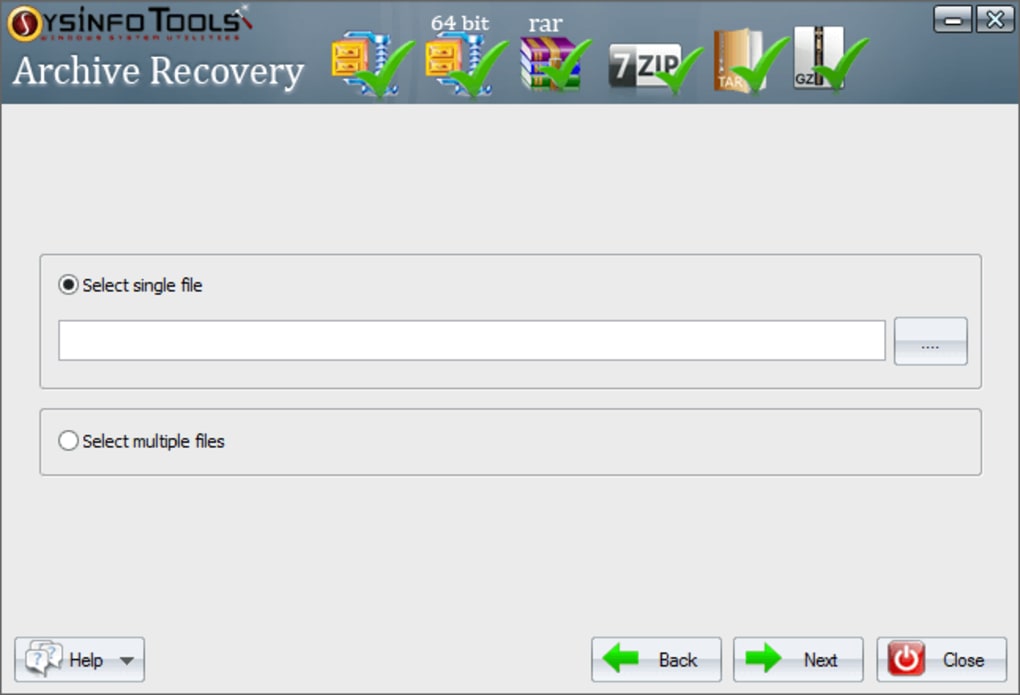
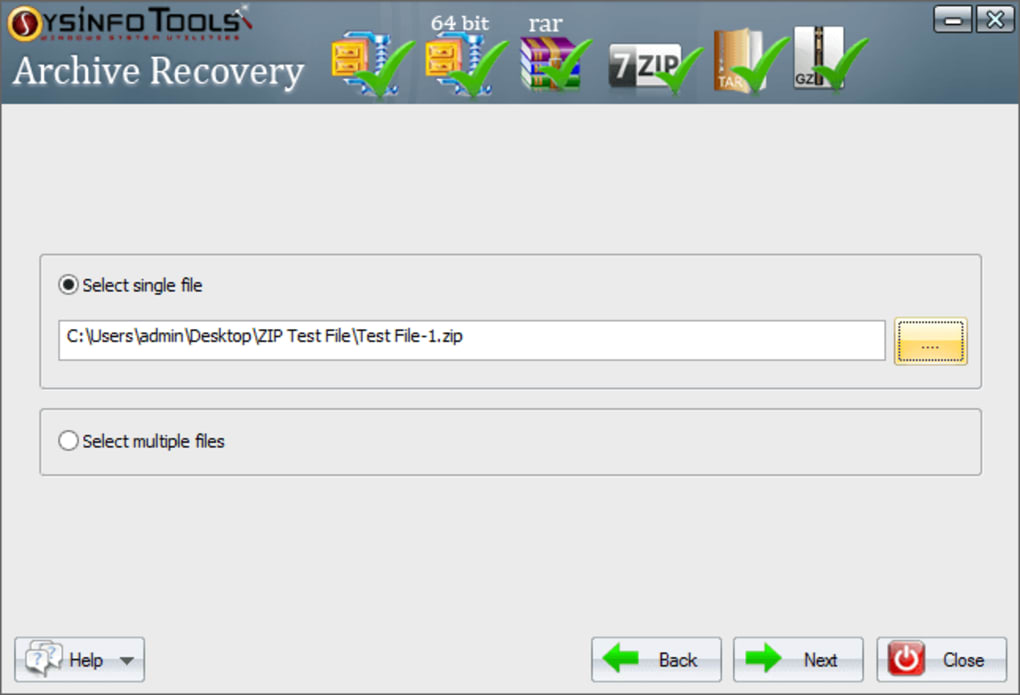
After installation, launch the application. You’ll be greeted with a clean, well-organized interface. Click on the “Add File” button to browse your system and select the corrupted archive file you wish to recover. The software supports drag-and-drop functionality, so you can simply drag the file into the window for faster access. Once selected, click “Start Scan” to initiate the recovery process.
The scanning phase may take a few seconds to several minutes, depending on the file size and level of corruption. During this time, the software analyzes the archive structure, identifies damaged sections, and begins reconstructing the data. You can monitor the progress through a detailed progress bar and status messages.
Once scanning is complete, the software displays a list of recoverable files. You can preview individual files (such as documents, images, or videos) directly within the tool to ensure they’re intact. After verification, choose a destination folder on your computer and click “Save” to export the recovered files. For added convenience, the tool allows you to save the recovered data in the same folder structure as the original archive, preserving organization.
For users managing multiple corrupted archives, the batch recovery feature is a game-changer. Simply add several files at once, and the software will process them sequentially. This saves time and effort, especially in bulk recovery scenarios.
Compatibility and System Requirements
SysInfoTools Archive Recovery is designed for broad compatibility, supporting both Windows and Mac operating systems. On Windows, it works seamlessly with Windows 10, Windows 11, Windows 8, and Windows 7 (32-bit and 64-bit versions). For Mac users, the software is compatible with macOS Big Sur, Monterey, Ventura, and Sonoma, ensuring smooth performance across modern Apple devices.
The system requirements are modest, making it accessible even on older machines. You’ll need at least 2 GB of RAM, 500 MB of free disk space, and a stable internet connection for updates. The software is lightweight and doesn’t consume excessive CPU or memory during operation, so it won’t slow down your system while recovering files.
Whether you’re using a desktop, laptop, or even a work computer with restricted admin rights, the tool is easy to install and run. It doesn’t require complex configurations or external dependencies. The installation process is silent and clean, leaving no unnecessary files behind.
For users who rely on mobile devices, it’s worth noting that SysInfoTools Archive Recovery is currently available only as a desktop application for Windows and Mac. There is no Android or iOS version at this time. However, the desktop version is powerful enough to handle most recovery tasks, and the ability to recover files to external drives or cloud storage makes it a flexible solution for all users.
Regular updates are released to improve compatibility with new archive formats and enhance recovery accuracy. These updates are delivered automatically through the software’s built-in update manager, ensuring you always have access to the latest features and security improvements.
Pros and Cons of SysInfoTools Archive Recovery
Every software has its strengths and limitations, and SysInfoTools Archive Recovery is no exception. Here’s a balanced look at what makes it stand out—and where it could improve.
- Pros:
- Supports multiple archive formats: ZIP, RAR, TAR, 7z
- Intuitive, beginner-friendly interface
- Real-time preview of recovered files
- Batch recovery for multiple archives
- Fast and accurate scanning engine
- Free download with no trial limitations
- Regular automatic updates
- Low system resource usage
- Cons:
- No mobile version (Android/iOS)
- Advanced recovery features require the paid version
- Limited customer support for free users
- Recovery success depends on the severity of corruption
- Some users report slow performance with extremely large archives
Overall, the pros significantly outweigh the cons, especially for users who frequently deal with archive files. The free version offers robust functionality, and the paid upgrade unlocks additional features like deeper scanning and priority support. For most users, the free tool is more than sufficient for routine recovery tasks.
Frequently Asked Questions (FAQ)
Q: Can SysInfoTools Archive Recovery fix password-protected archives?
A: Yes, it can recover password-protected ZIP, RAR, and 7z files—provided you have the correct password. The software will use it to decrypt and restore the contents.
Q: Is the software safe to download and use?
A: Absolutely. The software is free from malware, adware, and spyware. It’s developed by a reputable company and regularly scanned for security threats.
Q: How long does the recovery process take?
A: Processing time varies based on file size and corruption level. Small files may take under a minute, while large archives can take several minutes.
Q: Can I recover files to an external drive?
A: Yes, you can save recovered files to any location, including external hard drives, USBs, or network drives.
Q: Is there a free version available?
A: Yes, the basic version is completely free to download and use with no time limits or hidden fees.
Q: Does it work on Mac and Windows?
A: Yes, it supports both Windows and Mac operating systems.
Final Verdict: A Must-Have Tool for Archive Recovery
If you’ve ever faced the panic of a corrupted ZIP or RAR file that won’t open, SysInfoTools Archive Recovery is the solution you need. With its powerful recovery engine, user-friendly design, and support for multiple formats, it stands out as one of the most reliable tools in its category. Whether you're recovering personal photos, work documents, or project backups, this software delivers fast, secure, and accurate results.
Best of all, it’s completely free to download and use—making it accessible to everyone. While the advanced features are locked behind a paid upgrade, the free version is more than capable for most recovery needs. The regular updates and strong compatibility with modern systems ensure long-term reliability.
Don’t wait until your important data is lost forever. Download SysInfoTools Archive Recovery today and protect your digital assets with confidence. It’s a simple, secure, and effective tool that every Windows and Mac user should have in their digital toolkit.
Download Now and Recover Your Corrupted Archives with Ease!







